Sunday, 23 October 2011

The How-To Geek Video Guide to Using Windows 7 Speech Recognition


Ever get the desire to control your computer, Star Trek-style? With Windows 7’s Speech Recognition, it’s easier than you might think.

Microsoft has been working on its voice command steadily over the years. XP introduced it, Vista smoothed it, and 7 has it polished. It’s strangely not advertised as a feature, even though other voice command and speech recognition programs are hundreds of dollars. It may not be as perfect as some of them, but there’s definitely something amazing about vocally telling your computer to do things and it actually working.


It’s simple to enable, easy to configure and use, and just plain fun. Watch our video below to see how to enable it and to see a demo of what it can do.


And of course, you can call up the cheat sheet found in the Help file at any time by asking “What can I say?”

Saturday, 22 October 2011

REMOVE YOUR COPY SHORTCUT VIRUS IN PENDRIVE BY YOUR OWN METHOD

Step 1:Go to start and type "run" search box or press "WINDOW BUTTON + R"
        
Step 2: goto run type "cmd" (without quote) and ok.
        
Step 3:type in that prompt " I: " and press enter.
 

Step 4:It will move in to respective directory drive  by using cmd like "i:"   


NOTE:
ex: i:"or"  j,k ,h,etc where your pen drive is inserted in your system use that drive symbol (without qoute)

 Step 5:type "dir"(without qoute)you will see your files in that pen drive


 Step 6:you will see all shortcut in your folder names then remember your folder in that.

 Step 7:type attrib -a -r -s -h "yourfoldername" (without quote) and enter.


Step8:Go to your pen drive ,you will get your original file .


Step 9:you can also hide your original files my using this cmd example:


Step 10:type attrib +a +r +s +h "yourfoldername" (without quote) and enter.


Step 11: Your original file will hide ,as shown in pic:


Another Methods :


This Methods used for all files and Folders In pendrive


assuming we are in root of the flash drive which holds some files and subfolder with some files with....
attrib +r +s +h /S /D will add these attributes:
-read only
-system file
-is hidden
-Processes matching files and all subfolders.
-Processes folders as well

now if you wanna remove attrubutes for all files in all folders on whole flashdrive do this:
attrib -r -s -h /S /D
this command will remove attrubutes for all files folders and subfolders:
-read only
-system file
-is hidden
-Processes matching files and all subfolders.
-Processes folders as well


ENJOY THE TRICK!!!!!!!!!!!!!!!!!!!!!

Thursday, 20 October 2011

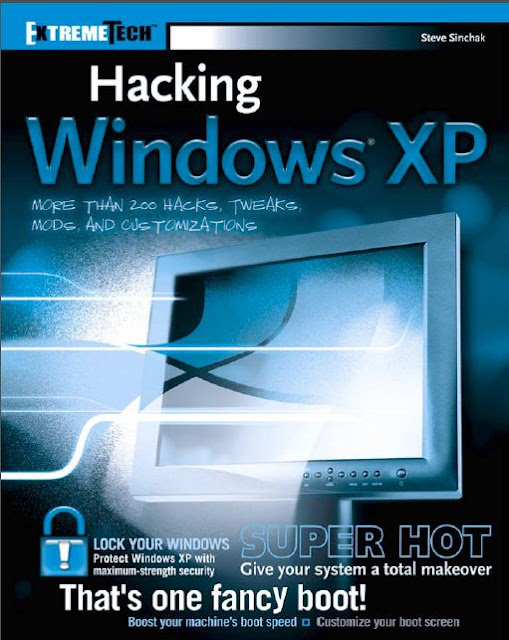
HACKING WINDOWS XP

Hack windows XP by your own method PDF BOOK:


DOWNLOAD:  http://www.mediafire.com/?rgrjp9p6hee39gk

Wednesday, 19 October 2011

Run Turbo C++ 3.0 on Windows 7


Windows 7 comes in two main Bit version 32 Bit and 64 Bit, out of 64 Bit is more popular and many computer manufacturer gives already installed on. As Turbo C++ 3.0 is 16 Bit version working software, which works perfectly in all 16 Bit and 32 Bit Windows, But 64 Bit Windows 7 can’t handle 16 Bit software, don’t worry we have perfect solution to run Turbo C on Windows 7 64 Bit.


Download freeTurbo C30 FOR WINDOWS XP

Download and install it and make C and C++ programs. If any problem in Turbo C 3.0 please Inform me........

The JavaScript Anthology: 101 Essential Tips, Tricks & Hacks - Free 158 Page Preview

Related Posts Plugin for WordPress, Blogger...
x

Get Our Latest Posts Via Email - It's Free

Enter your email address:

Delivered by FeedBurner